Financial and management reporting
Update sales, costs, margins, budgets or cash data to prepare periodic reporting for management.

RECURRING REPORTING, INDUSTRIALISED
B DATA Studio turns an existing reporting process — Excel, structured files, SQL databases, CRM or ERP exports — into a reusable model. Sources, rules, transformations, indicators, controls, visualisations and report structure are retained to integrate new data, regenerate the deliverable, create a new version and distribute it.
THE HIDDEN COST OF REPORTING
In many organisations, the same sources return at every reporting period, with the same reconciliations, calculations, checks and outputs. The issue is not only time: each rebuild multiplies manipulations, dependencies and opportunities for discrepancies.
Then start again at the next reporting period.
Update sales, costs, margins, budgets or cash data to prepare periodic reporting for management.
Consolidate several sites, agencies, activities or tools to compare performance and identify discrepancies.
Produce regular analyses, indicators or deliverables for clients, subsidiaries or supported entities.
THE B DATA MECHANICS
The first cycle defines and approves the reporting method. Later cycles reuse that method with new data, without rebuilding the process at every reporting period.
INITIAL PHASE
Sources, rules, transformations, indicators, controls, visualisations and report structure.
FOLLOWING CYCLES
Updated file or refreshed SQL source
Structure, rules and verification points
Transformations, calculations, indicators and visualisations
The updated report is retained
Export or delivery according to configuration
↺ The cycle restarts with new data.
WHAT IS REUSED
A B DATA model retains the elements required to reproduce reporting from new data: expected sources, transformations, calculation rules, indicators, controls, visualisations and the organisation of the deliverable.
B DATA
REPORTING MODEL
Expected files, SQL databases and business data.
Business logic and reporting conventions.
Data preparation and structuring.
Expected calculations and metrics.
Checks defined before production.
Charts, tables and outputs.
Organisation of the deliverable and its sections.
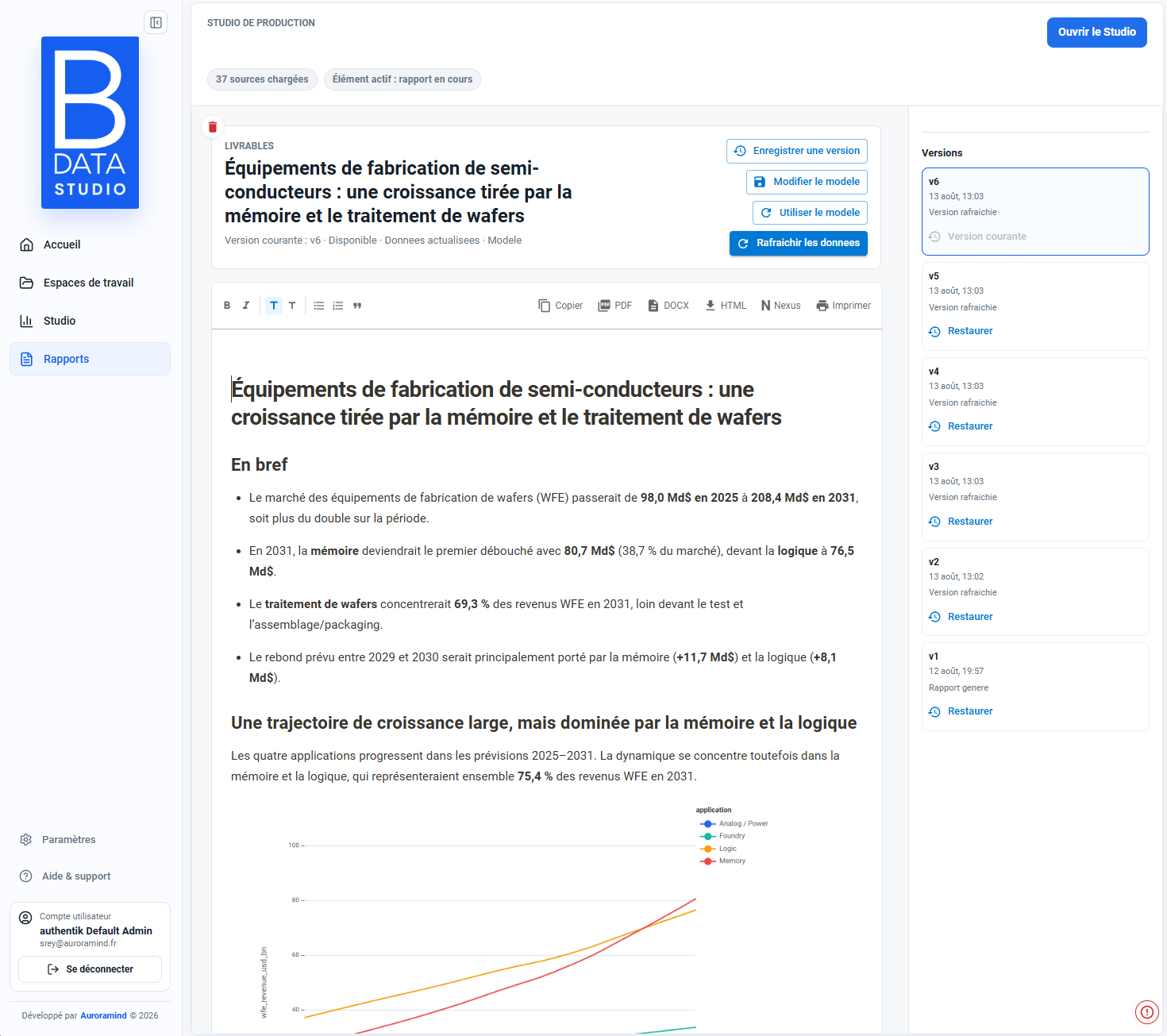
PRODUCT PROOF — VERSIONING
Once the model has been approved, the reporting process can be updated with new data. B DATA regenerates the deliverable according to the defined method and retains successive versions so changes can be followed over time.
NEW DATA
Reporting is not rebuilt at every reporting period. The existing model receives new data, then reapplies the transformations, controls, calculations and visualisations already defined.
Excel or structured file
Import a new file containing data for the latest period. Its structure must match the structure expected by the model: the same columns, expected data types and organisation. B DATA can then rerun the configured process without rebuilding the reporting workflow.
Connected source
Refresh data from an existing connected SQL source. The new data is loaded and the report is recalculated and regenerated from the existing model without manually importing a new dataset.
CONTROL BEFORE PRODUCTION
A structural difference can make a model incompatible with new data. B DATA therefore identifies discrepancies — such as added, removed or missing columns — so they can be reviewed or the model adapted before regeneration.
Automating production does not mean removing control.
No standalone schema-change capture is available in the project assets, so this page does not simulate a product modal.
DEPLOYMENT
Deployment starts with a real reporting process, its sources, frequency and the decisions it needs to support. Auroramind configures the first model with your teams, then B DATA becomes the platform used to update, version and extend it.
Identify the sources, rules, transformations, controls, indicators and deliverables required for the reporting process.
Update data, regenerate reports, retain versions and distribute deliverables according to the defined process.
Add new reporting models, sources, integrations, business adaptations or service levels as requirements evolve.
Show us a report you produce regularly, the sources it uses and how often it is updated. We will assess what could become a B DATA model and the most appropriate update method.